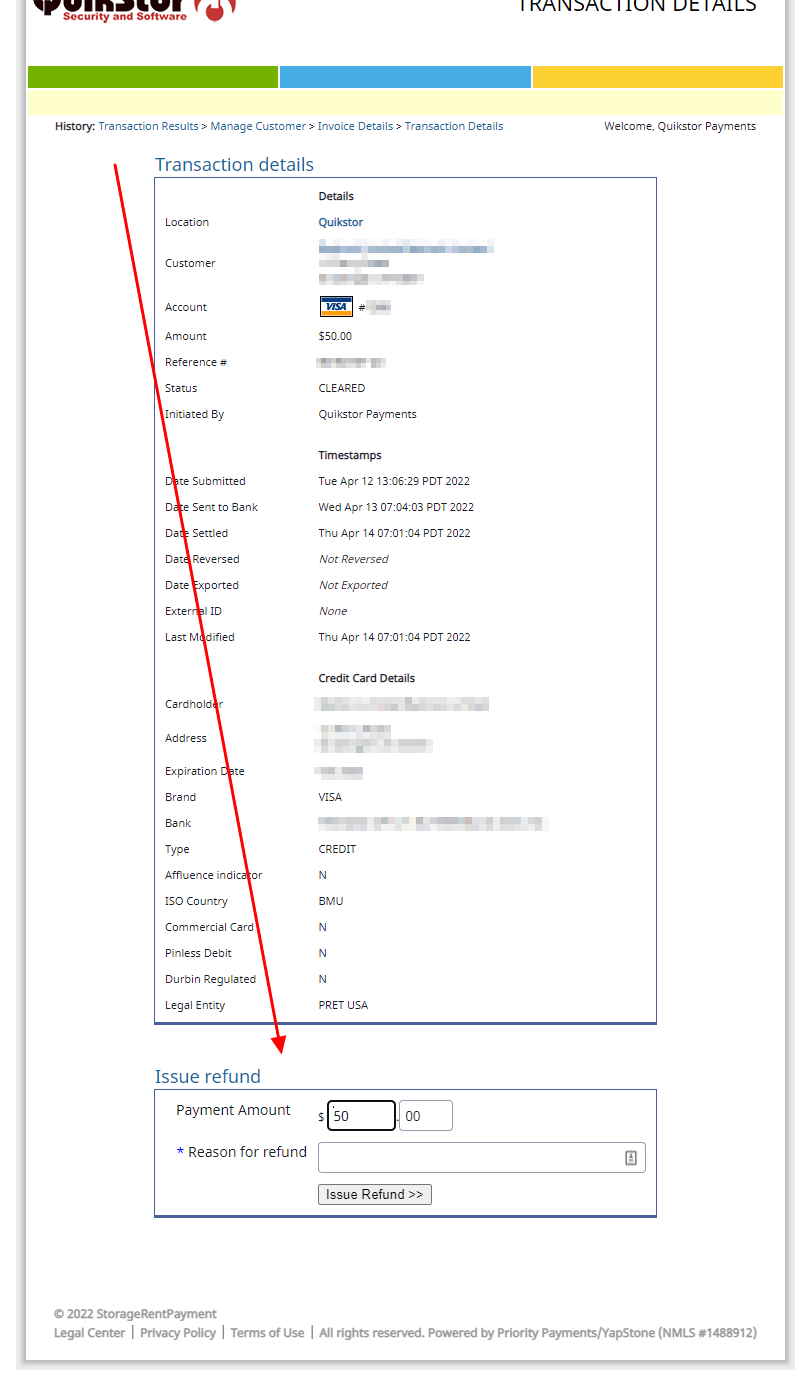
ONLY PROCESS A REFUND THIS WAY IF SPECIFICALLY INSTRUCTED BY A QUIKSTOR TECHNICIAN TO DO SO.
This portal is not programmed or maintained by QuikStor. If you receive any errors or have trouble navigating, please reach out to Storage Rent Payment directly at accountmanagement@rentpayment.com
- Log Into your Storage Rent Payment Portal
- Click Detailed Reports
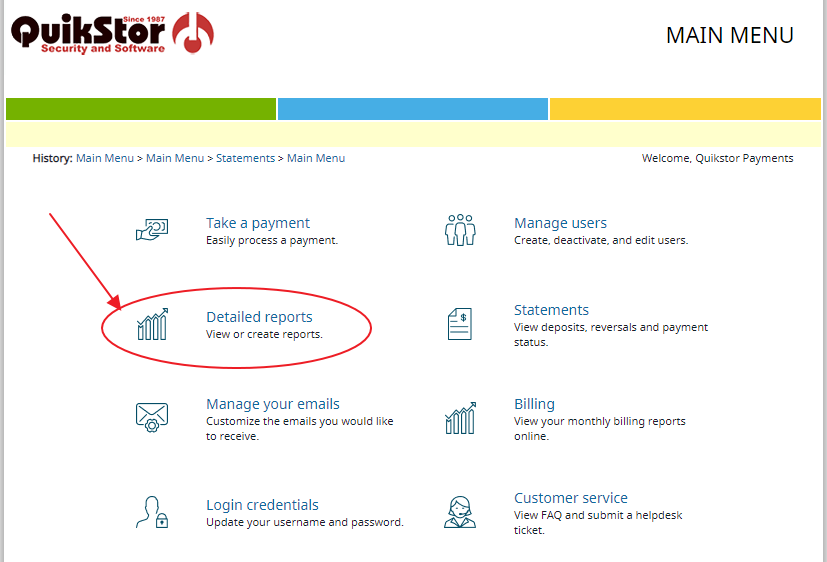
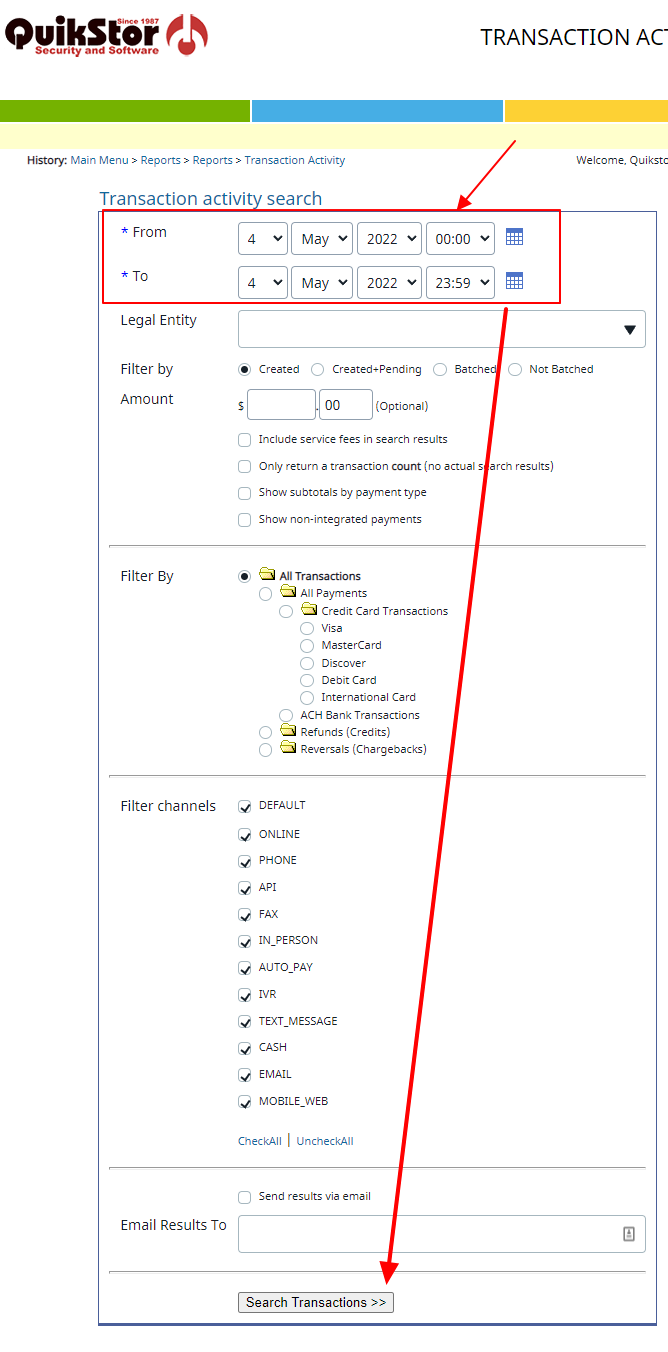
- Click Transaction Activity

- Enter your search criteria. You can search with just a date range if desired. Press Search Transactions
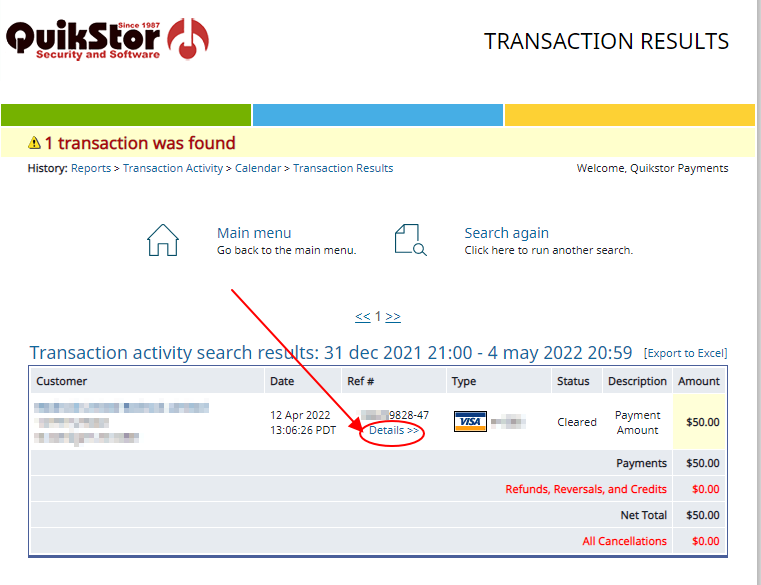
- A list of ALL transactions matching your search criteria will be displayed. Locate the transaction you wish to refund and click Details under the Ref # column.
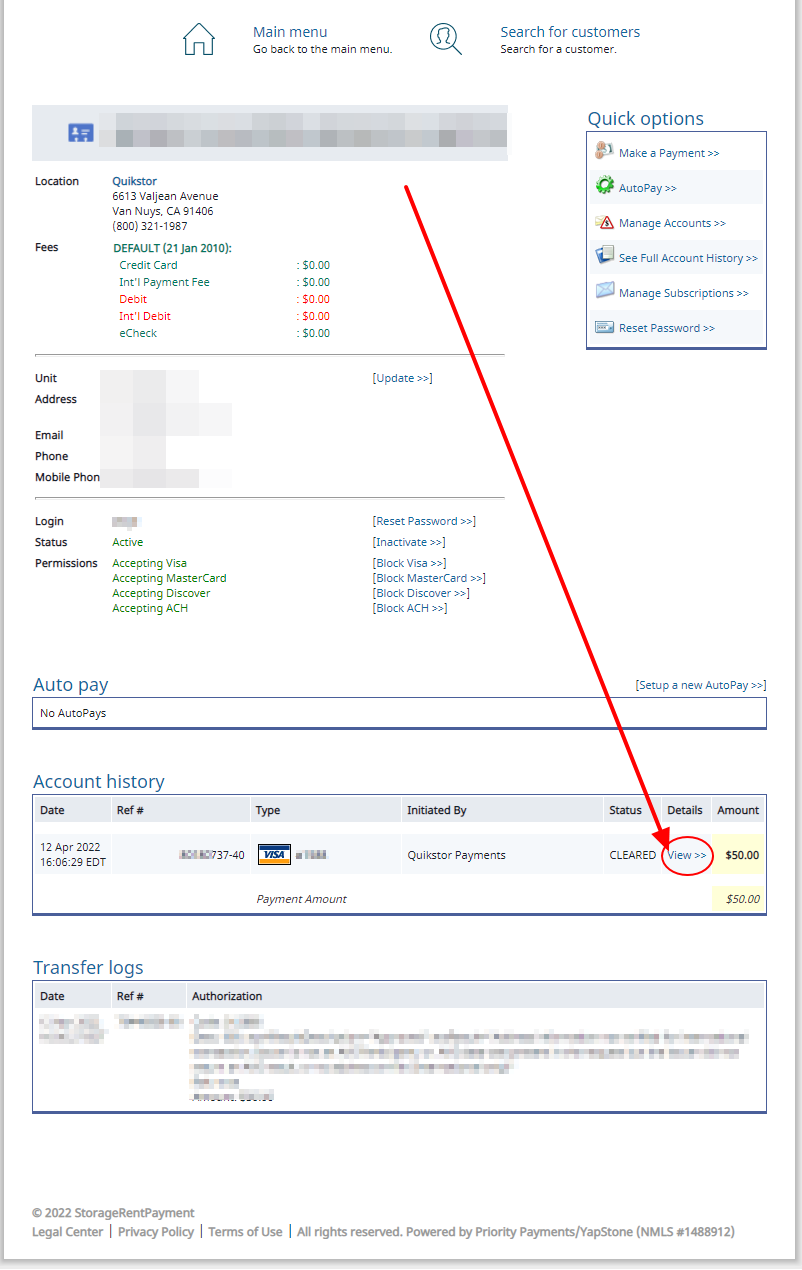
- Locate the Account History Section and click View in the "Details" column.
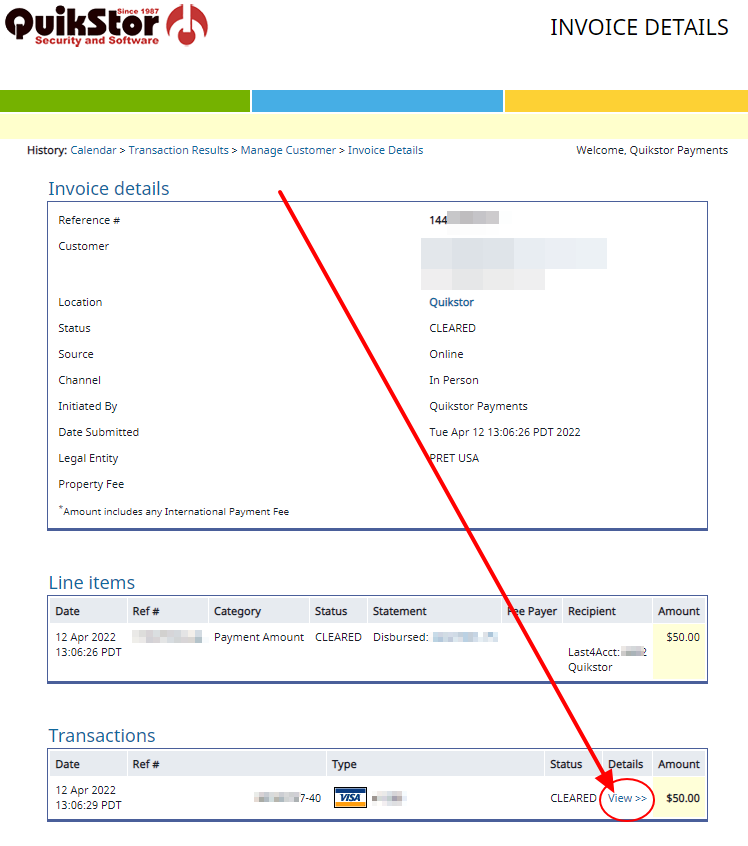
- Locate the Transactions section and click View under the Details column
- Enter your refund information and click Issue Refund