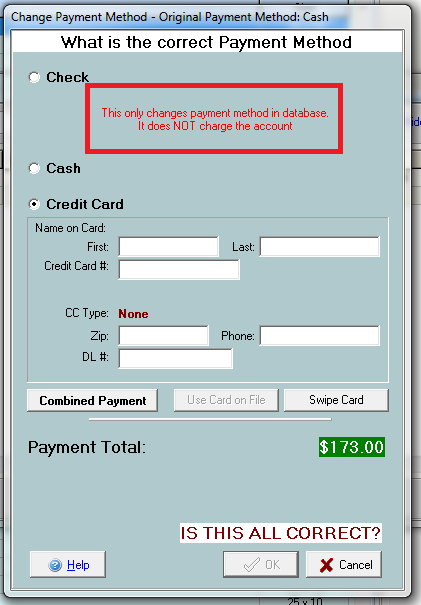
This function allows you to change the payment method for a single transaction.
Go to the Payment -> Change Payment Method.
Sometimes an incorrect payment method was selected, or the tenant changes his mind after you have already entered a different type of payment method. In such a case, you can change this method of payment instead of having to void the payment and start over.
In this window you select the payment that you wish to change, and click Select. The next screen is the normal payment window. This screen allows you to choose the correct payment method for this transaction. If you are entering a credit card payment and you don’t have the number, you can enter 4111111111111111 and it will accept it.
A manager’s note is automatically added into Tenant Notes when a payment method change takes place to assist with the auditing process.
Once you have made sure everything is correct, click ?OK, to confirm the payment change.
Important: Changing the payment to a credit card will NOT charge the card. If the tenant decides to pay via credit card you will need to void the payment and start over.