
If you have chosen to exclude certain unit types, but still need to apply it to certain units during a move-in you will use this procedure. Tax will also be automatically applied to all vacant units of an enabled type, so when someone new moves in, they will have Rent Tax added unless you specify they shouldn’t. To add or remove rent tax during a move-in, click on the  button. This will bring you to a screen that looks like this:
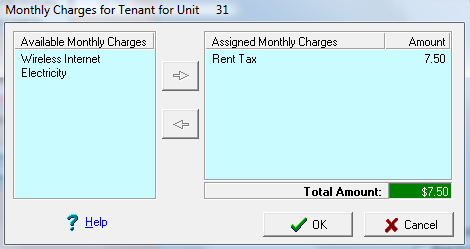
Select “Rent Tax” and click on the left arrow ( ) button to remove it. Conversely you can do the reverse to add it. Click on OK and continue with the move in.