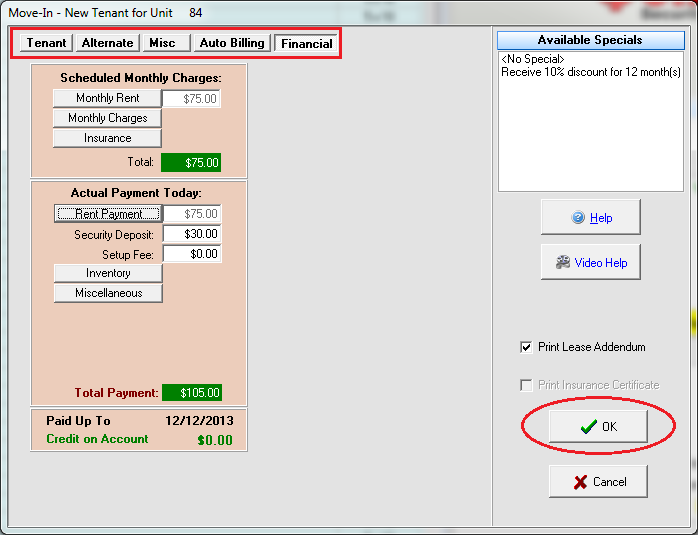
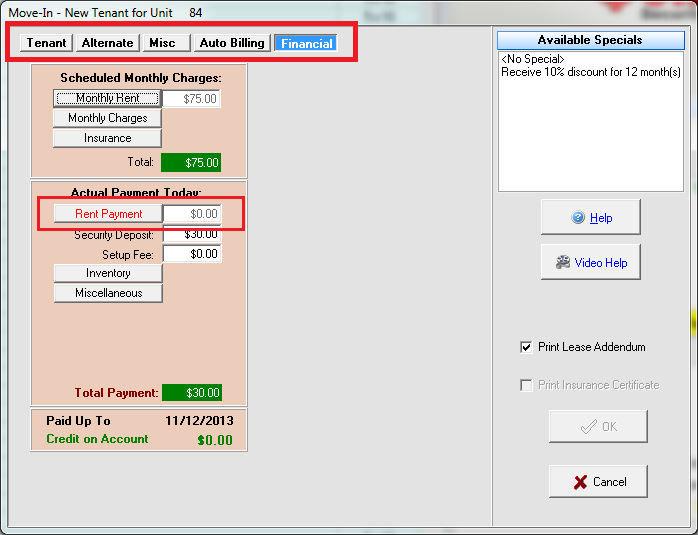
Check the tabs at the top. Are any of them highlighted in BLUE? (See picture below) If yes, click on it.
Do you see any fields with RED writing? (See picture below) If yes, you will need to input/select something for that field before the OK button will become selectable because you are missing a required field.
In this example, in order to complete the move-in for the tenant in unit 84 we must fill in required fields for the Tenant, Alternate, Misc and Financial tabs. Each tab will have the required field(s) shown in red. In this case the only required field for the Tenant tab is Last Name.
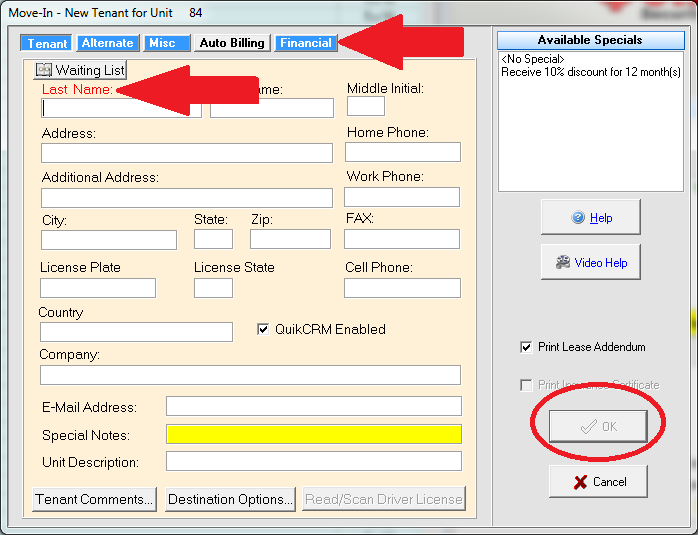
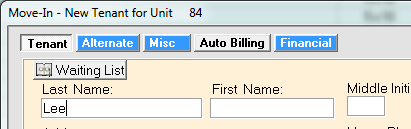
Once we fill in last name, the Tenant tab is no longer highlighted blue but we still can’t click OK because we still have some blue tabs.
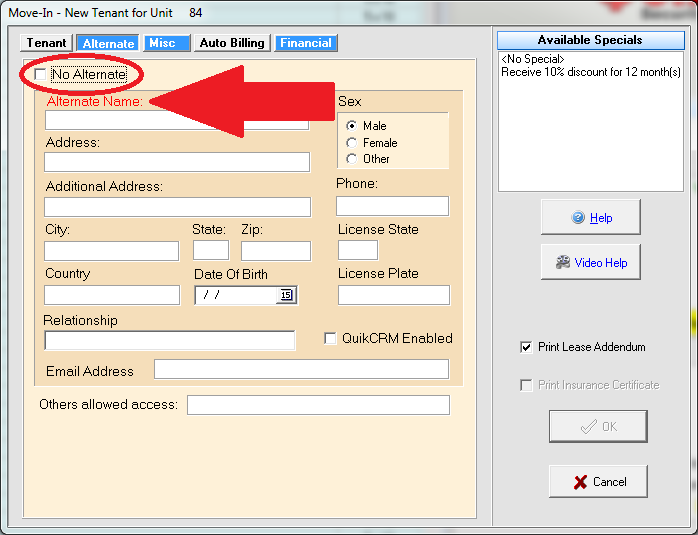
On the Alternate tab we need to EITHER fill in the required alternate information, or check the box for No Alternate.
Continue to each blue tab filling in any field that is in red. Once you reach the Financial tab, the last step is to enter the rent payment information.
Now that there are NO blue tabs, meaning all required information has been completed, we can click OK to complete the move-in!