
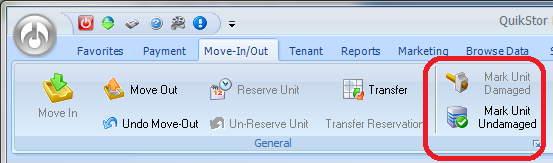
Units in need of repair or maintenance can easily be marked damaged / undamaged in the QuikStor program. To mark a unit damaged or undamaged first select the unit and go to Move-In/Out. Then select the appropriate option.
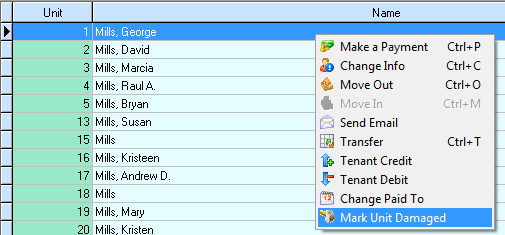
You can also right click on the unit and select the appropriate option from the right click shortcut menu.
Classic View Instructions: Tools -> Mark Unit Undamaged